ANOW PRODUCTS
The Ultimate Guide to Anow Reports
With Anow Reports, appraisers can build better reports faster and from anywhere, with a collaborative appraisal form filler that lives in the Cloud.
Everything You Need to Get Started
This isn’t just another form filling software. Anow Reports comes with an entire suite of tools and revolutionary features specifically designed for appraisers wanting to build better reports.
Getting Started
Starting a Report
Form Filling & Formatting
Templates
Understanding Comps
Sketching Tool
Sketching Tool
Validate Your Report
Sign & Export
PHASE 1
Getting Started
Anow Reports is available through your subscription, or through the use of Anow Credits. For users who are on a subscription, Anow Reports is included. For users on our Anow Direct platform without a subscription, you can use Credits that you have purchased.

PHASE 2
Starting a Report
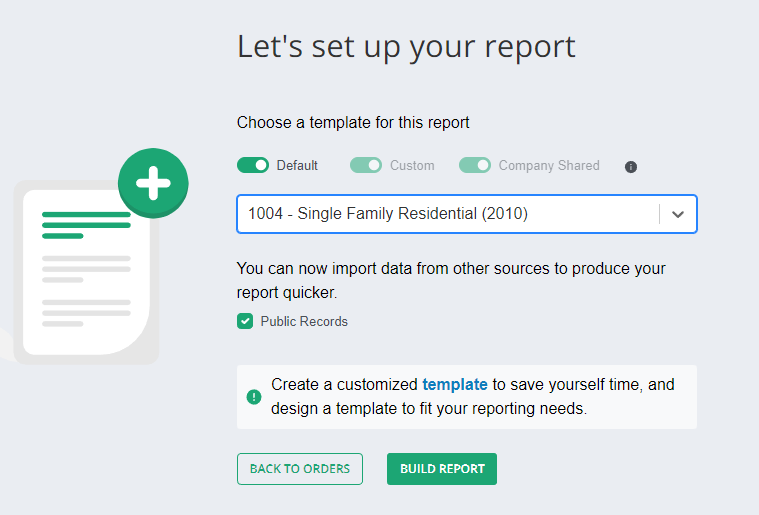
Login to your Anow account and choose the order you want to start working from the main dashboard. Once the details page loads, click the Anow Reports icon towards the top of the page.
✔ Choose your order from the Anow dashboard
✔ Select your desired form type
✔ Import from Public Records or apply a template
✔ Click “Build Report” and start filling
PHASE 3
Form Filling & Formatting
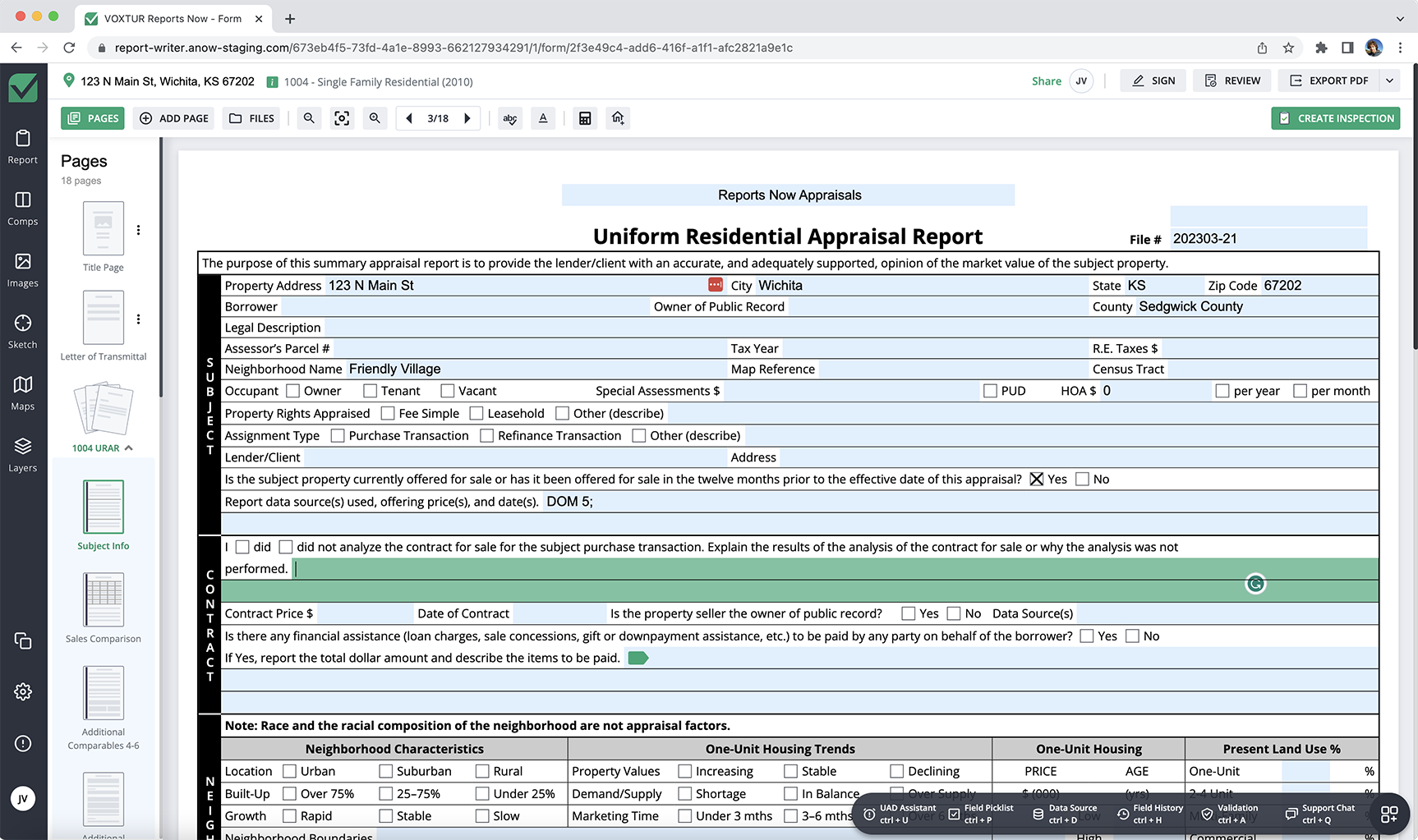
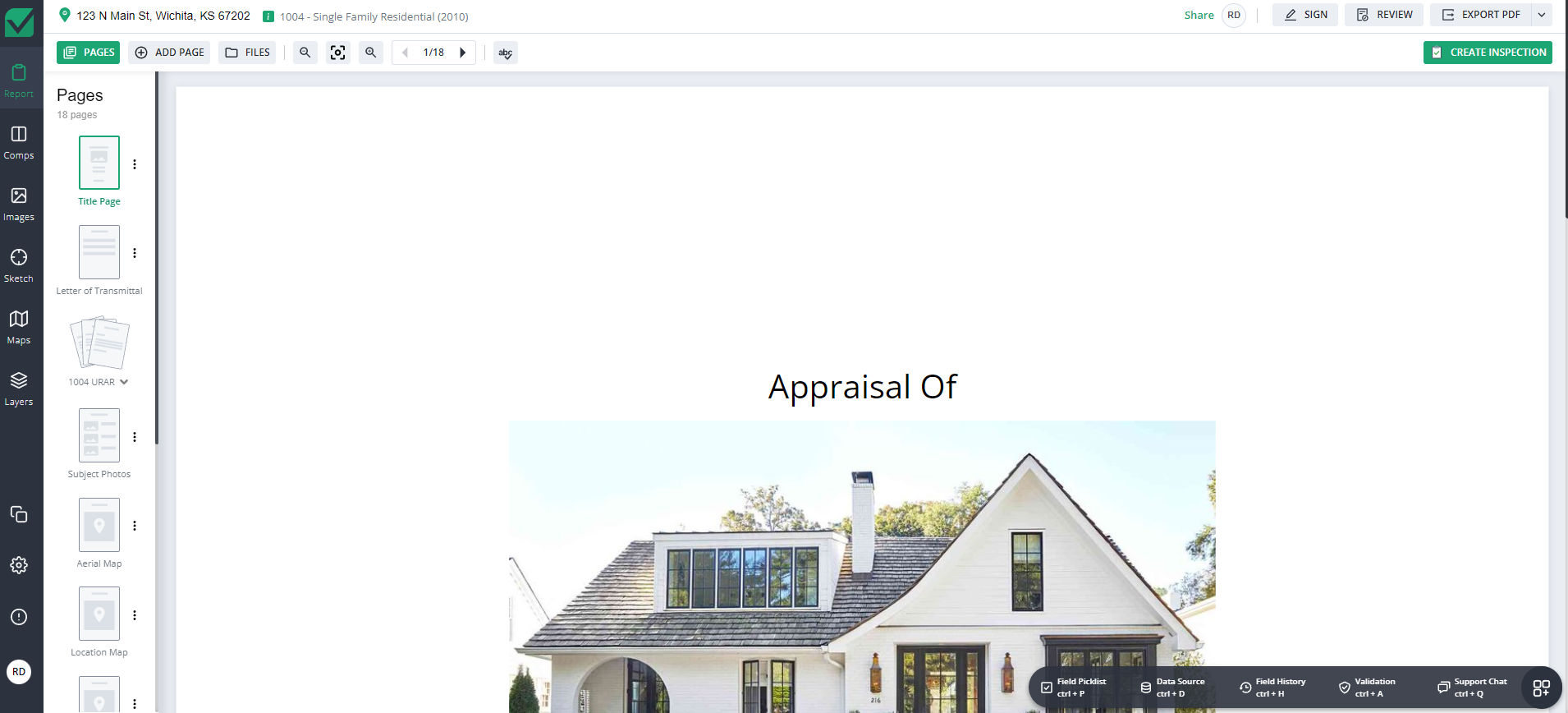
After you’ve created your report and selected the form type, you’ll see the standard page layout. You can add pages by clicking the plus sign, rearrange by dragging and dropping, and delete with a simple click.
Cloud Colaboration
Anyone with access can watch or assist as your report is built. Data is added and photos are uploaded in real-time, from multiple locations. You also have the power to choose how the text is displayed with size, color and other formatting tools.
PHASE 4
Templates
Save time going forward by applying previously created templates! Create, edit, update and delete templates anytime from the toolbar.
✔ Templates can be applied when the report is initially created
✔ Personal templates are only accessible by you
✔ Company templates can be shared with anyone in your company
✔ Templates are tied to report types for accuracy
PHASE 5
Understanding Comps
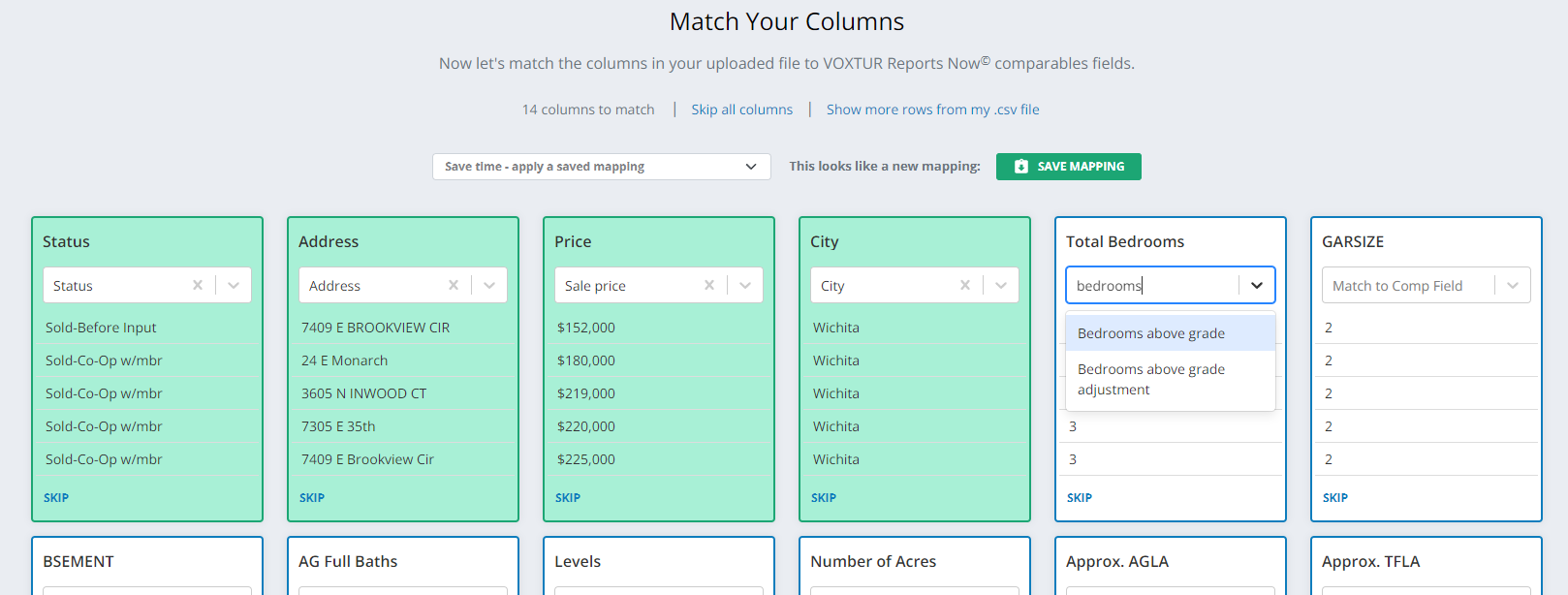
Anow Reports comes with lots of tools to make gathering and storing your Comps easier and more organized. Import comparables from CSV files, match columns to fields, and save mappings for future use.
✔ Import comps from CSV files with easy column mapping
✔ Save mappings for repeated CSV sources
✔ Comps are stored in your CompVault for future use
✔ Add unlimited comps — extra pages are added automatically
PHASE 6
Sketching Tool
The Sketch tool allows you to draw out your own sketch of your appraisal and have it automatically attach to your report. Use freeform drawing, define areas, add custom labels, insert symbols like doors and windows, and get area calculations.
✔ Built-in freeform and precision drawing tools
✔ Add doors, windows, and custom labels
✔ Automatic area calculations
✔ Enter precise dimensions from the side pane
PHASE 7
Anow Reports Companion
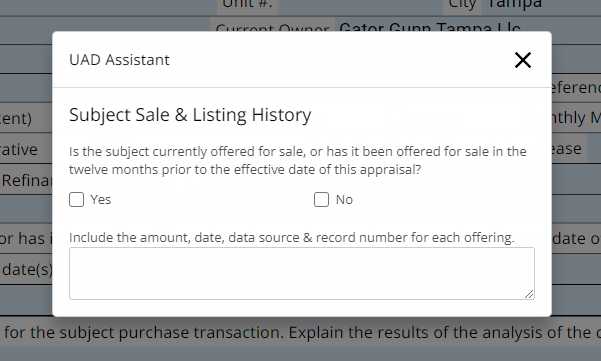
The Companion Panel gives you quick access to the features you need to build reports faster — including UAD Assistant, Field Picklist, Data Source, Field History, Validation, and Support Chat.
UAD Assistant
Fields marked with a green flag require specific formatting to pass UAD validation. Select any flagged field and open the UAD panel (Ctrl + U) to easily fill it out correctly.
Field Picklist
Reference popular and recent responses for each field. Choose from Top 10, Most Recent, or Custom picklists to speed up form-filling (Ctrl + P).

PHASE 8
Validate Your Report
Easily run a validation review on your report and get an overview of all outstanding errors that require attention. Click on the “Validate” button at the top right and select the validation rules to run.
✔ One-click validation from the toolbar
✔ Receive a full list of all issues found
✔ Click any issue to jump directly to the field
PHASE 9
Sign & Export
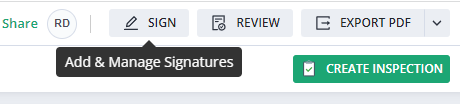
When your report is complete, click Sign in the upper right corner. Choose if you are the Appraiser or Supervisor, select or create your signature, and add a 4-digit PIN for security.
✔ Upload or draw your digital signature
✔ Secure with a 4-digit PIN
✔ Export as PDF, MISMO XML, or ENV file